Your website is often the first place for potential customers to interact with your business. Research shows visitors form an opinion about a site within about 50 milliseconds, and roughly 94% of that snap judgment comes down to design . If your website looks outdated, feels difficult to use, loads slowly, or no longer supports your business goals, it may be time to consider a redesign.
A website redesign is more than changing colors, images, or the visual style of your pages. It gives you an opportunity to improve your user experience, site structure, content hierarchy, navigation, website performance, SEO, and conversion paths while aligning the site with your current business needs.
A successful redesign starts with understanding how your current website performs and where users encounter problems. This helps you prioritize the changes that can improve usability, generate more leads, increase conversions, and improve overall website performance.
In this guide, you’ll learn what is website redesign, how it differs from a website refresh, when you should redesign your website, what the redesign process involves, and what you should consider before and during the project.
What Is a Website Redesign?
A website redesign is a comprehensive update to your website’s design, structure, content, code, and functionality to better meet your users’ needs and business goals. Unlike a simple visual refresh, a redesign can improve your user experience (UX), SEO, site performance, navigation, and conversion paths. The main goal is to create a website that is easier to use, performs better, and helps you generate more qualified leads and business growth.
Website Refresh vs. Website Redesign
The main difference between a website refresh and a redesign is the scope and depth of the changes you make to your website.
- Website redesign: A redesign involves significant changes to your website’s code, visual design, structure, content, UX, information architecture, or CMS. You may introduce new branding, restructure pages, improve navigation, add functionality, or rebuild parts of the site to better support your business goals.
- Website refresh: A refresh focuses on smaller improvements while keeping the core structure, functionality, and code base largely unchanged. You might update your color palette, typography, images, content, or make minor UX improvements without rebuilding the website.
Whether you need a refresh or a full redesign depends on your current websites’ user needs, performance, and business goals. The important thing is choosing the right level of change to solve your actual problems rather than redesigning your website simply for the sake of it.
How Often Should You Redesign Your Website?
There is no fixed timeline for every business, although many businesses should consider redesigning their websites every 2 to 3 years. Your redesign schedule should depend on your business goals, website performance, user experience, and how well your current site supports your customers. Consider a redesign when:
- Your business or offerings have changed. Your website should reflect your current products, services, branding, and business goals. Your homepage should clearly communicate what you offer and guide visitors through the buyer’s journey.
- Your website looks outdated. An outdated design can reduce trust and make your brand appear behind your competitors. A redesign can also bring your website in line with a new brand identity, visual style, or content strategy.
- Your user experience is declining. If visitors struggle to find information, navigate your site, or complete important actions, your UX may need attention. Higher bounce rate, lower engagement, and declining conversions can also indicate usability problems.
- Your website has technical issues. Slow site speed, large image sizes, outdated plugins, poor mobile responsiveness, or an aging code base can hurt website performance. If these issues are deeply connected to your technical foundation, a redesign may be the better solution.
Instead of redesigning your website simply because a certain number of years have passed, evaluate how effectively your current website serves your users and business. Regular performance analysis can help you determine when a redesign will provide the most value.
Need a Website Redesign?
Is your website outdated, slow, or difficult to use? A redesign can help fix these issues and give your visitors a better experience. Explore our website redesign services to see how we can help.
6 Things You Need to Know Before and During a Website Redesign
Research should be at the foundation of your website redesign process. Before changing your design, content, or code, you need to understand what is working on your current website, where users are struggling, and what your business actually needs. Keep these six areas in focus:
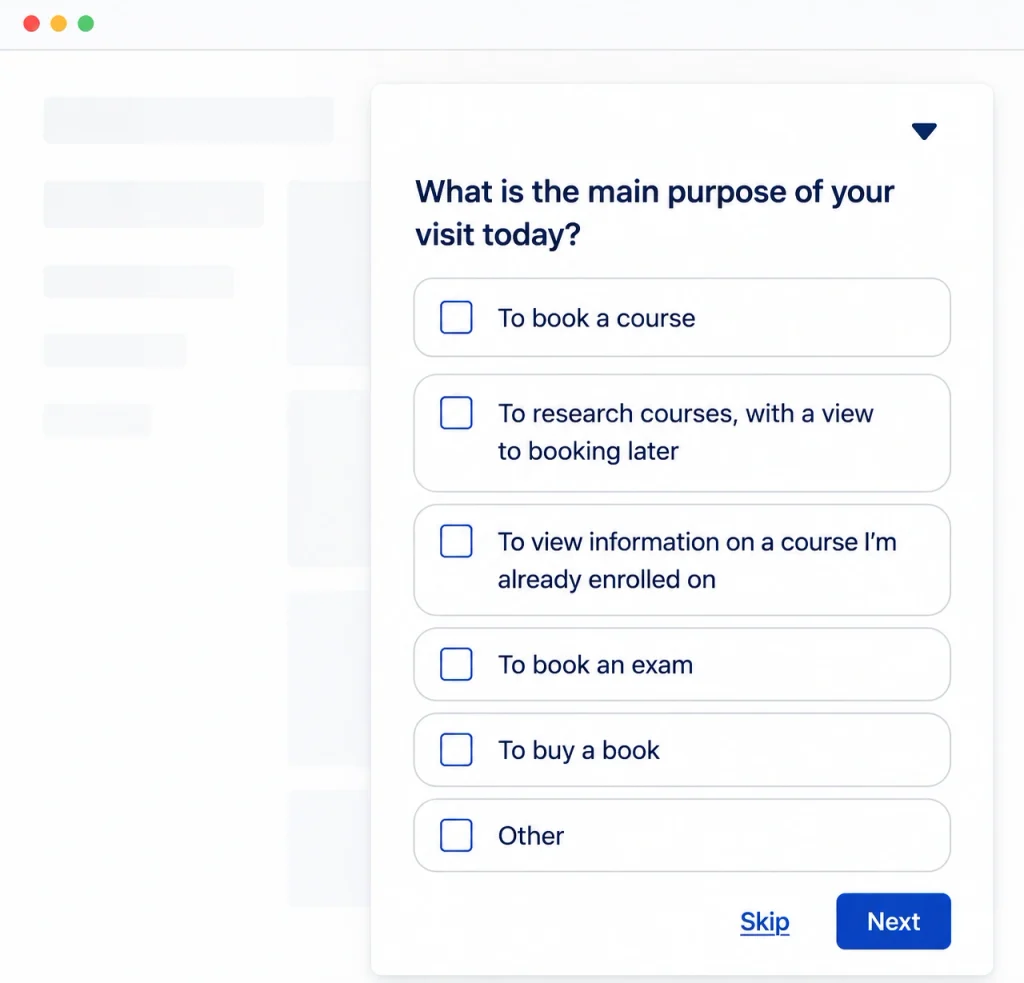
- Which pages are most valuable: Identify the pages that generate the most traffic, leads, conversions, or revenue before deciding what to change.
- Who visits your website and why: Understand your target audience, their search intent, needs, and the reasons they visit your website.
- What drives or stops customers: Analyze your buyer’s journey to find what encourages visitors to convert and what creates friction.
- How the redesign affects your business: Consider how changes to your website will affect your team, workflows, content, technology, and customers.
- How you will measure success: Set clear key performance indicators (KPIs), such as conversion rate, lead quality, lead generation, engagement, and other performance indicators.
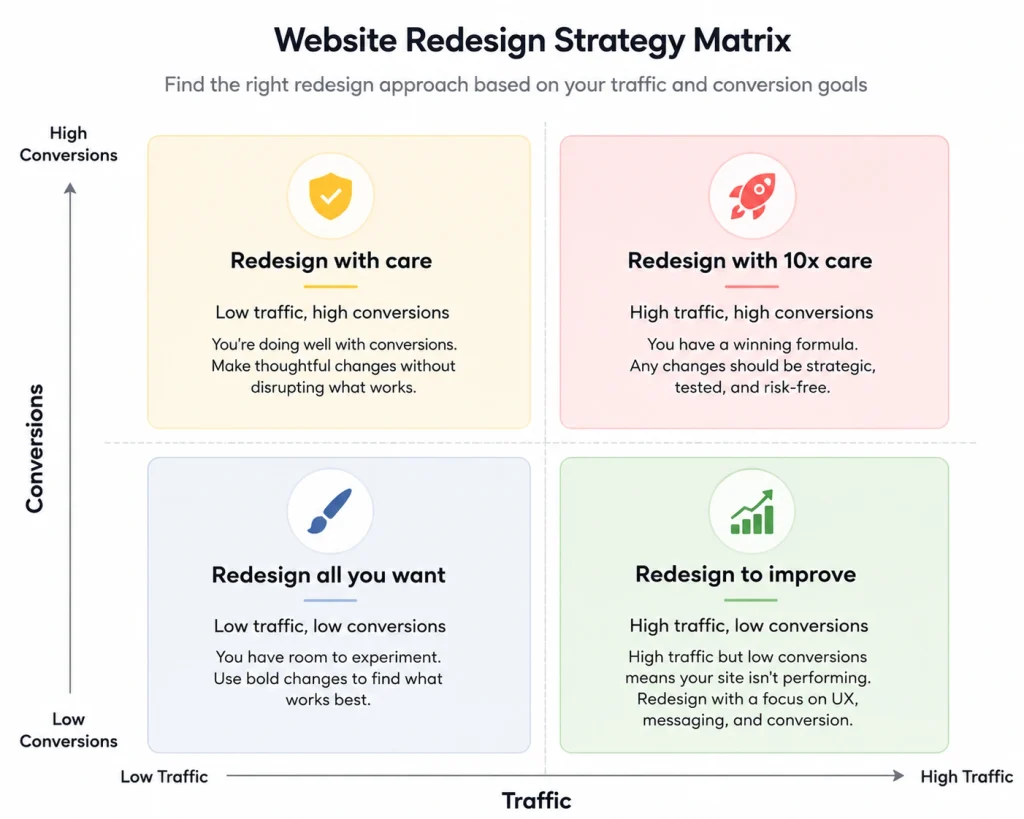
- What to change and how to test it: Prioritize changes based on research, then use conversion mapping, A/B testing, and user feedback to determine what works best.
The Website Redesign Process
A successful website redesign requires more than updating your website’s appearance. You need a structured process that connects research, business goals, UX, content, design, development, SEO, and testing. While every project is different, these four stages provide a practical framework for redesigning your website effectively.
1. Research
Start by understanding your current website audience, branding, and business goals. Conduct a detailed site analysis to review traffic, engagement, conversions, bounce rates, most valuable pages, and other performance indicators. User research can also reveal what visitors need, where they experience friction, and what influences their decisions. This information helps you set clear goals and prioritize the changes your redesign should deliver.
2. Design and Content
Once your research is complete, focus on your website’s structure, UX, content hierarchy, and visual direction. Wireframes can help you plan page structures and navigation before website development begins, while stylescapes can establish the visual direction for your branding, typography, colors, and imagery. Your content strategy should also ensure that each page supports search intent, the buyer’s journey, and your business goals.
3. Building and Testing
During website development, your approved designs, content, and technical requirements are turned into a functional website. Your team should test navigation, forms, responsive design, accessibility, plugins, CMS functionality, and other technical components. SEO checks, performance testing, and usability testing are also important for identifying issues before they affect your users.
4. Launch
Before launching your redesigned website, review every important page, link, form, image, and technical element. Make sure your 301 redirects, canonical tags, XML sitemap, robots.txt, structured data, and internal linking are properly configured to help preserve your SEO performance. After launch, monitor Google Search Console (GSC), conversion rates, website speed using PageSpeed Insights or GTmetrix, Core Web Vitals, and user behavior to identify opportunities for further improvement.
A Website Redesign Is Never Really Done
Launching your redesigned website is not the end of the process. Your customers’ expectations, browser technologies, accessibility standards, search behavior, and design trends continue to change, so your website needs ongoing maintenance to remain effective.
Continue monitoring website performance, user experience, conversions, and customer behavior after launch. Use Google analytics, feedback, conversion tracking, and A/B testing to understand what is working and where visitors are experiencing friction. You can also compare user behavior before and after the redesign to see whether your changes are improving engagement and conversions.
Regular website maintenance, SEO improvements, performance optimization, and UX testing help you keep your website aligned with your users and business goals instead of waiting for problems to become serious.
FAQs About Website Redesign
How Much Does It Cost to Redesign a Website?
A website redesign can cost from $3,000 to $150,000+, depending on the website’s size, complexity, functionality, CMS, design requirements, content needs, and technical work involved.
How Often Should a Website Be Redesigned?
You should generally consider redesigning your website every 2 to 3 years, but the right timing depends on your website’s performance, user experience, business objectives, technology, and changing customer expectations.
How Long Should a Website Redesign Take?
A typical website redesign can take around 3 to 5 weeks, although larger websites with complex functionality, extensive content, custom development, or multiple integrations may require more time.
What Is the Difference Between a Website Refresh and a Redesign?
A website refresh involves smaller visual or UX updates while keeping the core structure and functionality intact. A redesign involves more significant changes to the website’s design, content, structure, code, UX, or functionality.
What Are the Signs That a Website Needs a Redesign?
An outdated design, poor user experience and mobile responsiveness, slow speed, declining conversions, technical problems, or difficulty supporting your current business objectives can all indicate that your website needs a redesign.
Can You Redesign a Website Without Changing the Domain?
Yes. We can redesign your website while keeping the same domain name. We’ll keep your existing domain and properly manage URLs, redirects, canonical tags, and other SEO elements to help protect your existing search visibility.
Ready to see what a redesign could do for your website? Get in touch for a free website audit →