
Subtotal $0.00 Subtotal: $0.00


Think of your website like a plant. To flourish, it needs care—neglect it, and it may wither away. Regular maintenance tasks act like food, water, and sunlight, helping your site grow continually. Start by checking for broken links or pages, and maintain performance using an all-inclusive checklist. I’ve found that when I use these simple website maintnance checklist, the health of my site improves, and nothing falls down unnoticed.
Why Site Maintenance Matter?
Neglecting website maintenance tasks is a common mistake. Address them early to avoid disastrous consequences. In the 2025, Wordfence reported blocking over 9.7 billion malicious requests targeting WordPress websites. This highlights the importance of maintaining strong website security, as demonstrated by the study conducted by Wordfence. Addressing security issues promptly helps ensure reliable performance and supports consistent search engine rankings. Proactive monitoring allows websites to operate effectively over time. Pinpointing and addressing minor errors early helps reduce negative impact, while evaluating various aspects ensures your site stays in a strong position. This allows you to identify opportunities, optimize content, and drive conversions, keeping your website ahead of the pack.
Weekly Tasks
For regular maintenance, I recommend performing five tasks every single week to keep your site running smoothly. Following a weekly website maintenance checklist keeps everything running smoothly.
1- Review Your Metrics
Successful websites always record a wide range of data tracking how visitors behave and which content drives conversions. I make it a habit of regularly analyzing metrics to pinpoint problems before they worsen. Monitoring speed, everything from traffic sources, and competitive performance helps review weekly.
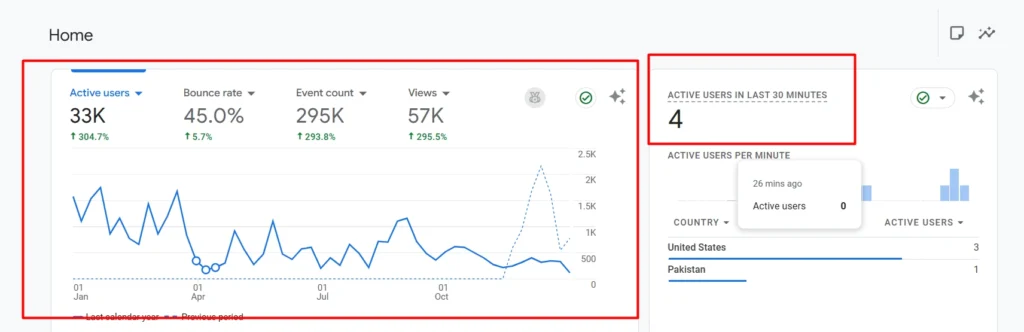
Even in isolation, sites that struggle need proper evaluation to properly evaluate performance. Comparing competitor metrics reveals insights to improve your own site.
2- Back Up Your Site
Creating regular backups is important to prevent risk of losing recent work or your entire website. I always perform this vital maintenance task using Hostinger’s automated, daily back-up, or on-demand copy of the site with single-click restore stored in a central location for easy, one-click recovery and added convenience.
3- Moderate Comments
A lively comment section encourages visitors to interact with your site, but the dark side is attackers can trick you by publishing malicious content or comment spam, irrelevant, or offensive messages that reflect poorly on your website. Using a moderation plugin like Akismet or Anti-Spam keeps submissions in an approval queue.
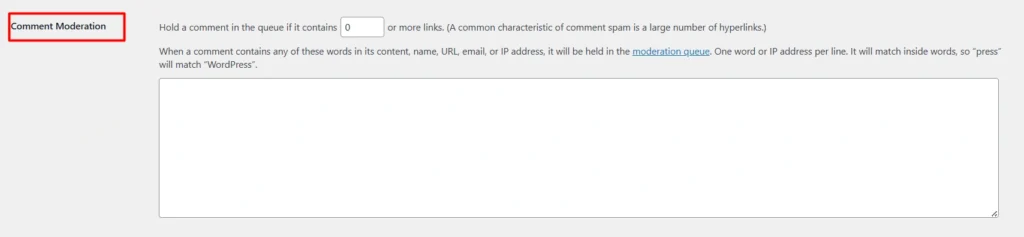
With WordPress default settings, you can expect comments to appear in a reasonable timeframe, but withhold, review, and smart check at least once a week.
4- Update Your Themes and Plugins
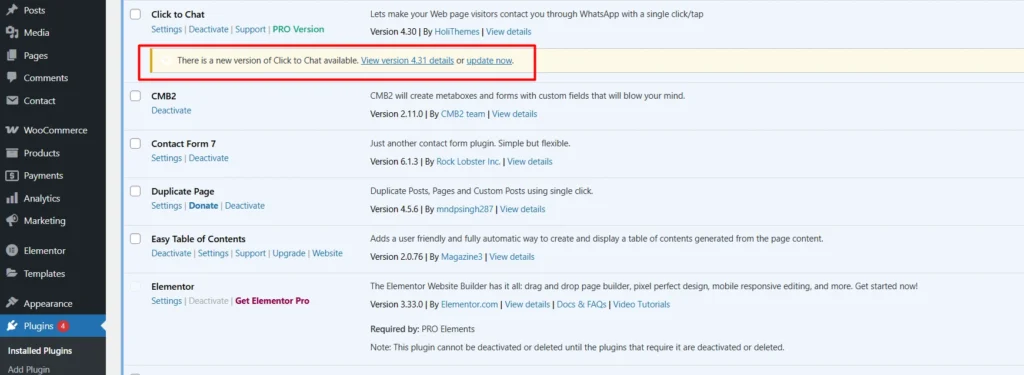
According to Sucuri, 86% of hacked WordPress websites were attributed to outdated plugins, themes, or WordPress versions. This finding emphasizes the critical importance of regularly updating website components. Regular updates fixes vulnerabilities, improves security, and adds features to keep bad guys away. I always regularly check the dashboard for available website maintenance checklist items and enabling auto-updates for themes and plugins, assuming I’m running WordPress 6.8.3 or higher, under the core Dashboard Updates menu.
5- Scan for Malware
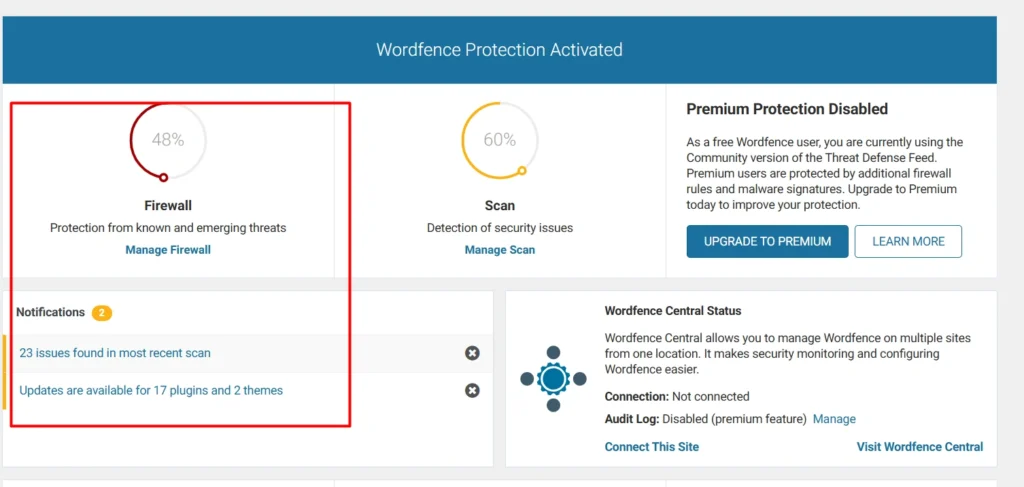
Keeping your WordPress site secure protects your reputation on this platform. Using the right software to check for malware ensures your site stays in tip-top shape, which is important for maintaining trust and performance.
Monthly Tasks
Monitoring site speed, search engine performance, and overall health helps you stay one step ahead of the competition. Following a monthly website maintenance checklist keeps everything running smoothly.
6- Test Your Site’s Speed
Site performance has a huge impact on success. Research by Akamai found that 40% of users abandon websites that take longer than three seconds to load. This underscores the importance of website speed for user retention. To encourage visitors to stay engaged, a fast and responsive website is essential for creating a positive impression.
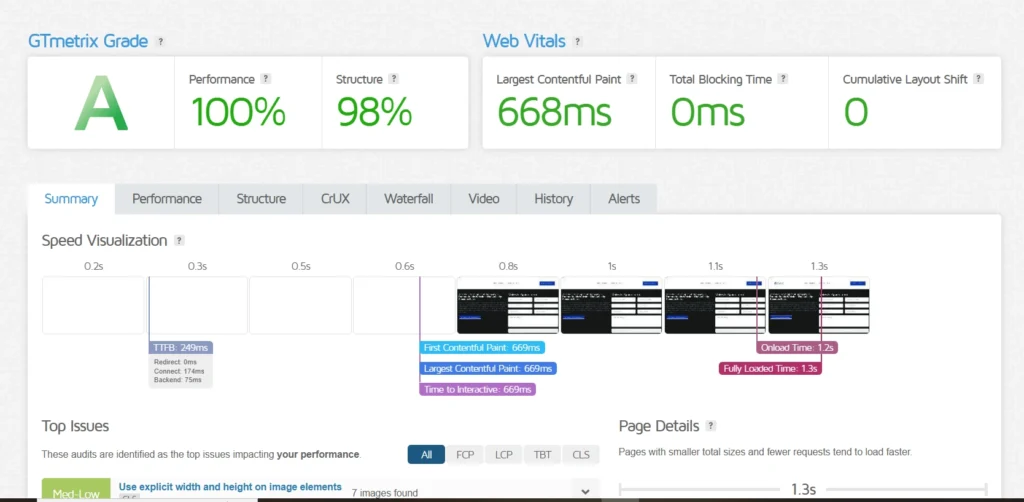
Page speed, SEO, and launch metrics like Core Web Vitals can be tested with a project test tool such as Google PageSpeed Insights or GTmetrix, which dedicated reporting evaluates specific metrics.
7- Create New Content
Regularly publishing interesting and relevant content helps convert one-off visitors into loyal, repeat customers. Position your site as an expert in the industry with great conversions by creating people-friendly posts, pages, blog articles, and other materials. To maximize chances of appearing in Search Engine Optimization (SEO) results, consider partnering with an experienced team of experts who can create, publish, and stream five-star, tailormade support around a keyword strategy.
8- Improve Your Site’s SEO
According to Statista, over 417 billion searches occur on Google in the U.S. every month, highlighting the critical importance of SEO for website visibility. This is based on data collected and reported by Statista. For an established site, identifying high-value keywords improves chances to rank. Track keyword popularity and change over time to help check and adjust your approach. Use current search volume tools like Semrush, Keyword Overview, and Magic tools to optimize effectively.
Quarterly Tasks
Some website elements are often overlooked, so I follow seven tasks to perform every quarter.
9- Change Your Passwords
A strong, complex password is essential for preventing unauthorized access to your website. Creating passwords that follow the latest best practices, including two-factor authentication, is smart. Always change passwords every quarter to minimize risk if an account is compromised or a hacker remains inside a hacked account.
10- Check and Fix Broken Links
Broken links can occur for various reasons, such as removed pages or incorrectly entered URLs, and they can affect user experience (UX) and Search Engine Opitmization (SEO). When search engine bots encounter unavailable URLs, crawl efficiency is reduced.
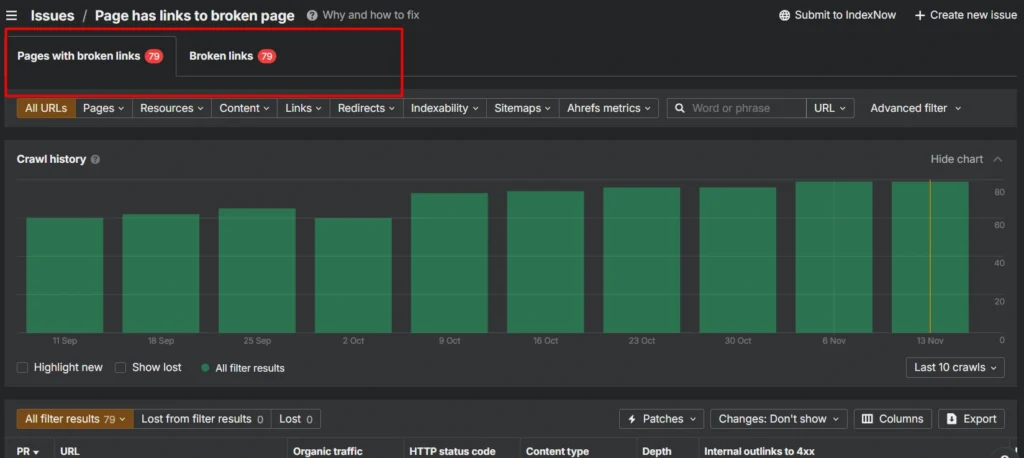
Scan your site with tools like Ahref, check Crawled pages, and fix manually or by adjusting a plugin like Redirection.
11- Delete Unnecessary Plugins and Themes
Each theme or plugin contributes code to your website, making regular reviews an important part of maintaining a secure environment. Themes and plugins account for 96% of WordPress vulnerabilities, so regularly take stock of what’s installed. Delete what you no longer require, disable software, or reactivate later.
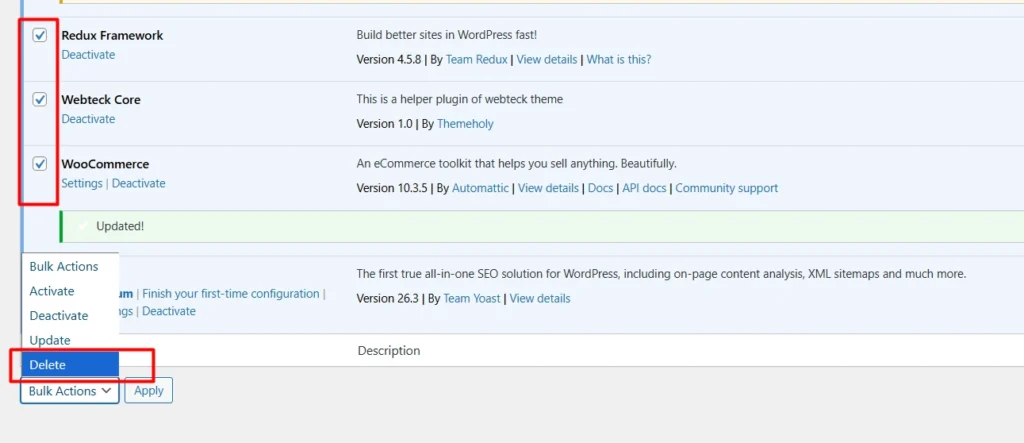
For maximum security, deletion is the safest option, including removing unused images, videos, audio, and other files via a Secure File Transfer (SFTP) client in the wp-content directory to locate unnecessary items.
12- Optimize Your Database
WordPress stores all data and content in a database, and as the database expands over time, retrieval processes require additional resources.
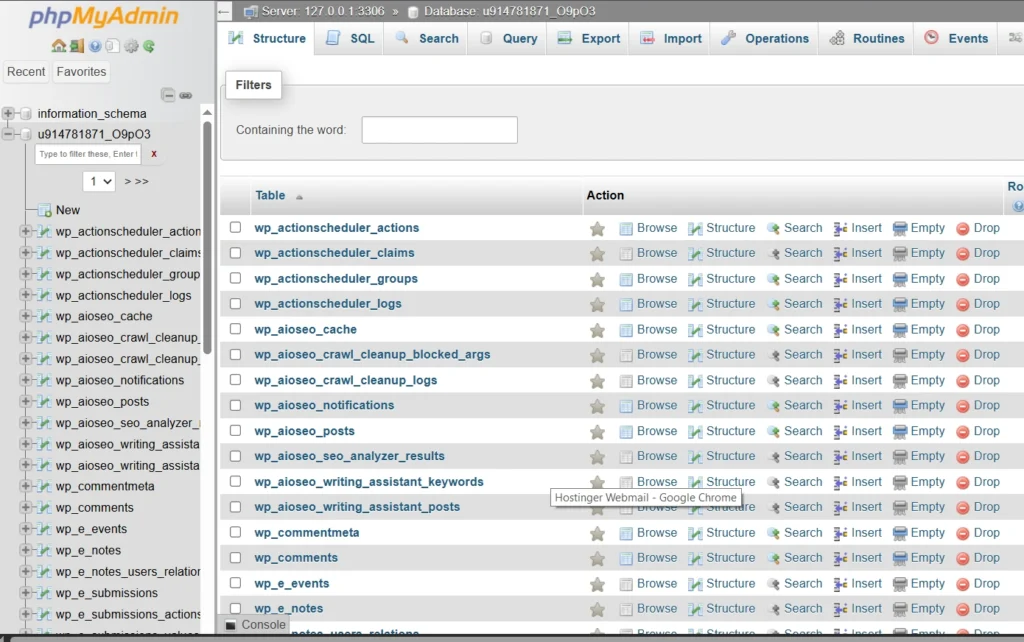
Optimizing the database can reduce load and boost page times. Using phpMyAdmin, navigate to Databases, select, and optimize your tables regularly for peak performance.
13- Test Your Site’s Forms
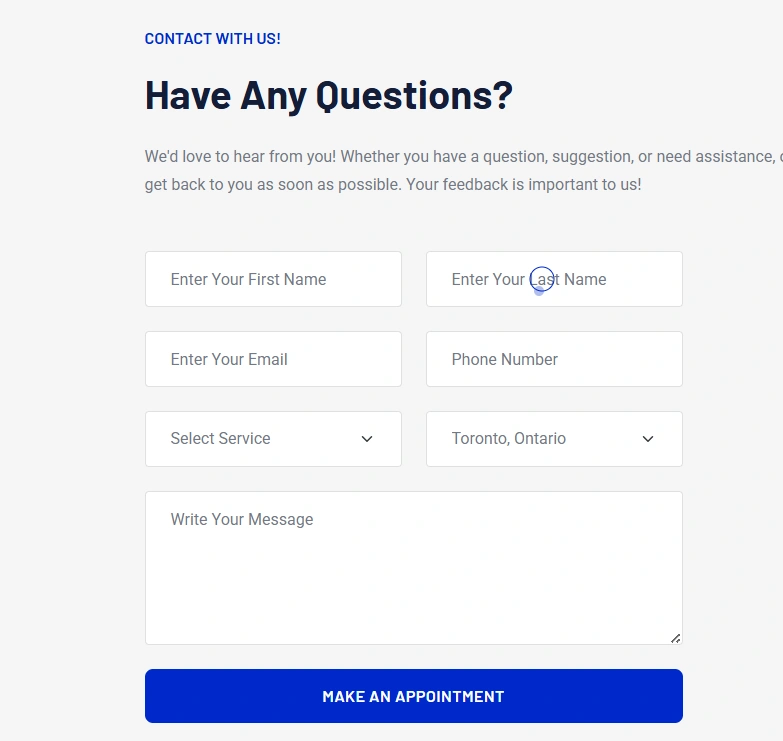
Websites rely on forms to capture leads and drive conversions, making them core functionality. Login or contact forms must function correctly, so I recommend reviewing the submission process, ensuring logging of user input and smooth operation.
14- Test Your Checkout Process
The checkout process is the heart of your website accepting payments. Addressing system issues promptly helps protect sales performance and maintain consistent service availability. I recommend verifying working expected payment solutions in a dedicated testing mode on popular platforms like WooCommerce. Being smart about opportunities to improve purchasing, complex flows, or forcing customers to create accounts streamline the process. Careful review wonders for the bottom line, especially since 34% of shoppers abandon carts before crossing the finish line.
15- Check Your Social Media Links
Social media is a powerful tool for reaching a wider audience and retaining existing customers. Frequently posting on platforms keeps your company at the forefront of followers’ minds. Ensure links remain engaged by placing websites’ feature prominent buttons and links to follow accounts and share content. When dealing with third-party tools, monitor for chance of change that can affect your site. Regularly check URLs for broken or missing links to avoid countless lost followers or shares. It’s important to check that all work correctly to maintain engagement.
Get the Free Maintenance Checklist Template To Maintain and Improve your site Performance or hire us to maintain your website for you
Annual Tasks
Some tasks need to be performed multiple times a year, so I recommend setting aside time to do them annually.
16- Schedule User Testing
Regular usability testing with real-life users helps evaluate how intuitive your website is. Performed at least once a year, rounds of testing reveal how websites designed to interact with users can evolve over time due to technical innovations, devices, browser updates, or changes in typical internet user behavior. I recommend scheduling annual usability testing to continue providing a good experience.
17- Review Your Domain and Hosting Renewals
Your domain name is an important decision and integral to branding. Keeping renewals up to date ensures continuity of an essential online identity.
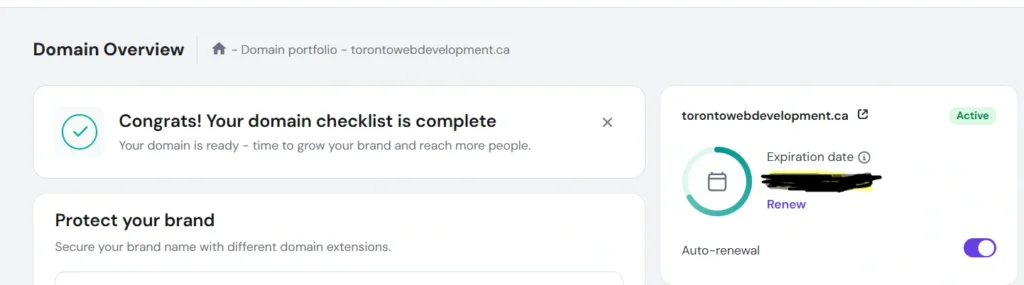
Check hosting renewal status smartly—activate auto-renewals or manually verifying set correctly with up-to-date payment information and credit card details to avoid failure and lose web hosting access to your site.
18- Update Your Header, Footer, and Legal Policies
Your header and footer are prime digital elements that display useful information, like contact details or opening hours. Keeping systems up to date helps support consistent conversion performance. Significant changes in operations should be immediately updated. Perform an annual check to ensure nothing has slipped through the cracks and appears perfect on your website. Keep important pages with audience fingertips, reviewing for considering removing links no longer relevant. Any new content deserves the top spot, and legal policies like privacy or copyright laws evolve over time, so it’s worth verifying they line up with the latest regulations.
19- Review Your ‘About’ Page
A compelling About page convinces customers why your company is worth their business. It should give people a sense of the individuals behind the importance of your company. Never write and forget—revisit annually to ensure it always remains representative. Performing an annual review uncovers opportunities to add exciting developments, major new client updates, or refresh outdated information. Keep changing employee bios, reflecting job title and roles to accurately represent your company.
20- Perform a Content Audit
Publishing engaging, relevant content signals to visitors that your site is active and an expert in the field. Annual audit helps improve search engine rankings and deliver maximum value. I recommend performing an annual audit to catalog and evaluate performance, identify topics and formats that attract the largest traffic, drive conversions, and pinpoint what doesn’t appear or resonate with your target audience. This invaluable information can refine your strategy for the year ahead.
Ready to try Our Website Maintenance Checklist?
The hard work doesn’t end once your website is published. Running a successful website requires ongoing effort and regular maintenance. By breaking this challenge into 20 tasks, you can keep your site in tip-top shape without becoming overwhelmed. Adding the right tools and services to the mix can make it easy to further reduce your workload and lighten the load.

Comments are closed